Google’s Wear OS: These 3 swipe changes are coming soon


Google’s Wear OS: These 3 swipe changes are coming soon

Resultado de imagem para analog watch

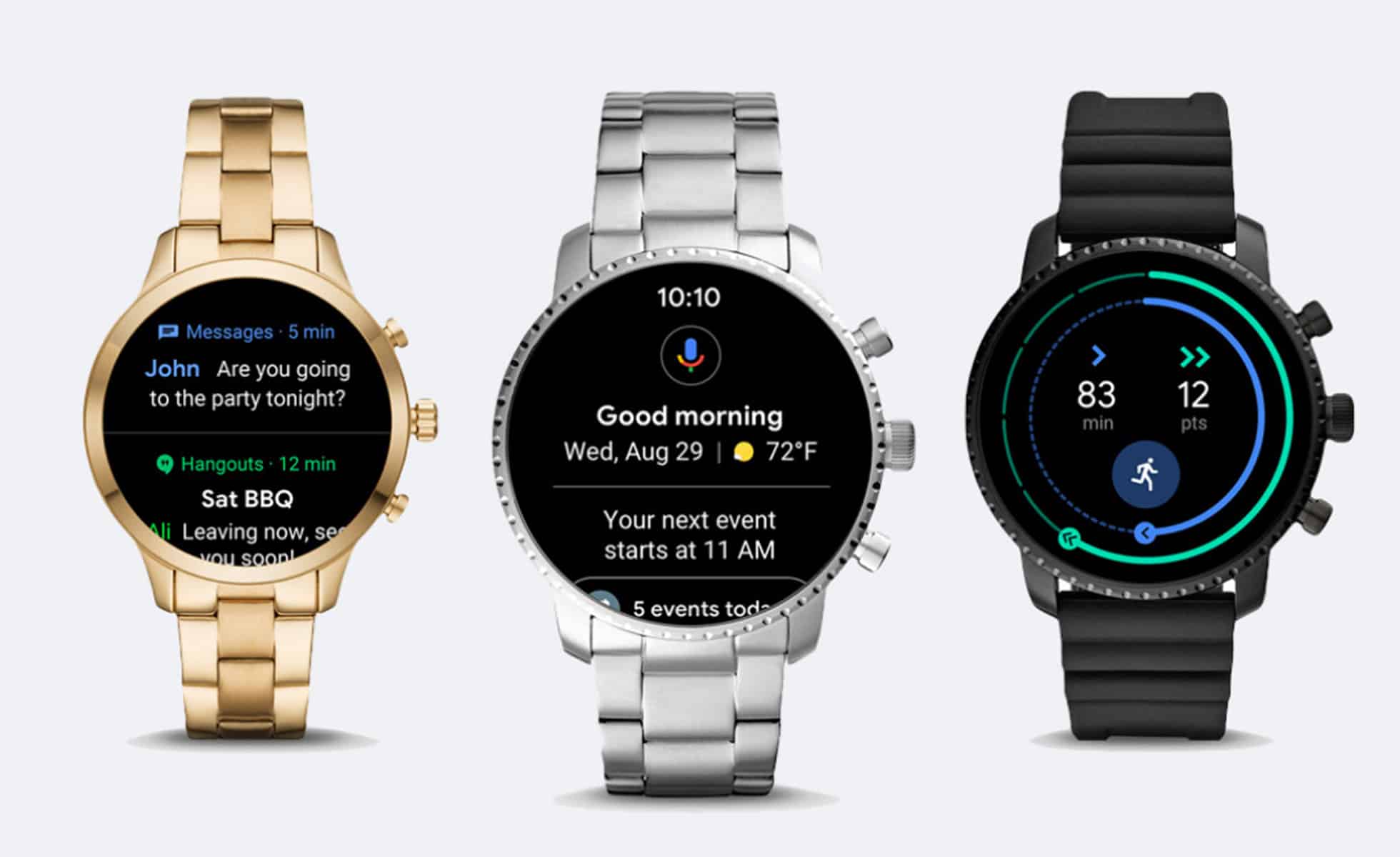
Google has spent the last couple of years tacking on new features to its Wear OS smartwatch platform. Now, the company’s making it all easier to access with a revamped interface:
  • Instead of swiping horizontally to swap watch faces–something you probably won’t do often–Wear OS now maps a right swipe to Google Assistant and a left swipe to Google Fit, which got its own revamp last week.
  • Swiping up still shows recent notifications, but the menu is more condensed so you can see more than one notification at a time. Tapping on a notification brings up suggested actions and AI-driven smart replies.
  • Swiping down still brings up a quick settings menu, but now there are buttons for Google Pay and Find My Phone.
[Animation: courtesy of Google]
Google says it’s rolling out the Wear OS update over the next month, just in time for its own rumored smartwatch, possibly powered by a new Qualcomm chip.
Some companies aren’t waiting that long: This morning, Casio announced a new rugged Wear OS watch, while Fossil announced an extra-large Wear OS watch under its Diesel brand. Between Google’s smartwatch fleet and Samsung’s new Galaxy Watch, Apple Watch might have some decent competition.
Share:

Apple takes a step towards its own version of Google Glass


Apple takes a step towards its own version of Google Glass


Apple's AR headset plans take a step forward.


There's long been murmurs about Apple making its own augmented reality glasses, like Google Glass, and its latest acquisition is another step towards that.

Apple has acquired Denver-based AR lens startup Akonia Holographics, according to a report by Reuters.
Founded in 2012, the startup focused on holographic data storage before shifting to smart glass technologies. 
Akonia's HoloMirror smart glass utilises a single layer of media, and the company boasts "ultra-clear, full-color performance ... [enabling] the thinnest, lightest head worn displays in the world."
In a statement to Reuters, an Apple spokesperson (as per usual) didn't give much away: "Apple buys smaller companies from time to time, and we generally don’t discuss our purpose or plans."
An executive in the AR industry told the outlet that Akonia had become "very quiet" in the six months leading to the acquisition, indicating the deal happened earlier this year.
Back in April, CNET reported Apple was working on a combination AR/VR headset with the codename "T288," supporting both AR and VR apps, that would launch by 2020.
Each lens would reportedly feature an 8K display per eye, for a total resolution of 16K. That would eclipse the likes of current VR rivals Oculus Rift and the HTC Vive, which both only have 1,080 x 1,200 resolution per eye.
Of course, it's still early days, and Apple's headset dreams might just stay that way.

Share:

How to Protect Yourself From Public USB Charging Ports


How to Protect Yourself From Public USB Charging Ports


USB charging ports in public places are convenient but possibly risky. Data is transferrable over a USB connection, so plugging your phone into an unknown charging port puts it at risk.

What’s the Danger?

Let’s be realistic: You probably shouldn’t be too paranoid about these attacks. We haven’t seen widespread reports of charging ports causing problems. However, many possible attacks could happen over a USB port, and avoiding the risk is easy enough that it won’t inconvenience you.
The main problem is that USB doesn’t just transmit power—it sends data. That’s why you can plug your phone into your computer to transfer files back and forth, update the phone’s operating system, and back up its contents.
A correctly behaving USB charging port wouldn’t even try to access your phone’s data. But there’s nothing stopping it from trying after you plug in a USB cable. A charging port could try to access private data on your phone or exploit a security vulnerability and run dangerous code on your device. This type of attack is known as “juice jacking.”
While older phones just made your photos and other data accessible whenever you plugged in a cable, current iPhones and Android phones usually require your permission to share things. Your iPhone will prompt you to “Trust This Computer” when a device you’re plugged into wants access. On Android, you must enable transferring files over the connection. Even if you have USB debugging enabled, you must permit the device to access it.
If you don’t give your phone those permissions, it will still allow charging over the port but not allow data transfer.
With an iPhone, you’re probably safe unless the charger attacks your phone through an unknown security hole. Of course, Apple just added “USB Restricted Mode” to the iPhone and iPad to prevent them from being attacked by password-cracking tools connected to the Lightning data port.
If you have an Android phone, there are bigger risks. Most Android phones run outdated operating systems, which could easily have unpatched security holes that could be attacked through a USB port. They could be attacked in other ways, too. Many current Android devices from eight different manufacturers including Samsung, LG, and HTC are vulnerable to AT commands be sent over a USB cable. As usual, you’re safest if you have a Google Pixel device that’s up-to-date, but even that could theoretically be attacked.

Get a USB Charge-Only Adapter

If you must charge from a USB charging port and you’re concerned about the risks, you can purchase a cheap USB charge-only adapter. We tried this inexpensive Plugable USB charge-only adapter ($6.41) and can confirm it works as advertised. It’s a little dongle you plug into a USB port before you connect your phone’s charging cable. The data pins are disconnected in the dongle so that only power can be transferred over the connection. This type of device has also been called a “USB condom” in the past.
There’s one downside: The dongle simulates a 1A charging signal. You can’t use any fast-charging technologies, as the data pins are required for negotiating the charging speed. 1A is the maximum you’ll get. However, many public USB charging ports are on the slower side anyway.
However, it’s worth noting that this charging adapter simulates a 1A iPad-style charging signal. Many devices will only charge at 500mA (0.5A) from a computer’s USB port, so the dongle can speed things up if you’re charging from a laptop or desktop PC.
If you have an Android device, you can also purchase charge-only cables which work just like the dongle—the data pins in the cable are shorted so a data connection can never be made over the cable. We haven’t tested this $7.49 PortaPow cable, but it should work. We can’t seem to find any sort of Lightning-to-USB charge only cables for iPhones, but the Plugable adapter will work with both iPhones and Android phones.

Use Your Own Charger in an AC Outlet

In some cases, public charging stations may provide both a standard AC power outlet and USB charging ports. For both safety and maximum charging speed, skip the USB charging ports. Plug your phone’s standard charger directly into the AC outlet and charge from there.
There’s no risk of data connection happening over the power outlet—even if network traffic is being transmitted over the electrical wiring. You’re safe as long as you plug in a trusted charger.
This can even boost your charging speed. For example, iPhone users can get an iPad charger or, even better, USB-C charger to charge their iPhones more quickly. We like Anker’s 30W USB-C charger ($26) paired with Apple’s USB-C charge cable ($19). Apple sells its own 29W USB-C charger ($46), but Anker’s is cheaper and will charge your iPhone faster.

Charge From a Portable Battery

Rather than hunting down USB charging outlets, you may want to skip them entirely and get a portable battery for your smartphone. Just plug the phone into the battery to charge it whenever you like, even when you’re away from a power outlet.
When you find an AC outlet, you can just plug your battery into the outlet to recharge it. You can also do both at once—plug the battery into the outlet and the phone into the battery. You’ll be charging both your battery and phone at the same time, and it’s safe. The only risk is when connecting your phone directly to a USB port.
We have some favorite portable batteries, from the easy-to-carry 5000 mAh Anker PowerCore Slim ($30) to the heavy-duty 30,000mAh Aukjey PB-Y3 ($60.)

In the future, widespread wireless charging may eliminate the risk of sketchy USB ports. You can charge your phone at any public wireless charging spot without worrying.
Image Credit: structuresxx/Shutterstock.com, Milkovasa/Shutterstock.com, Jinning Li/Shutterstock.com.
Share:

Apple could introduce three devices with iPhone X design


Apple could introduce three devices with iPhone X design

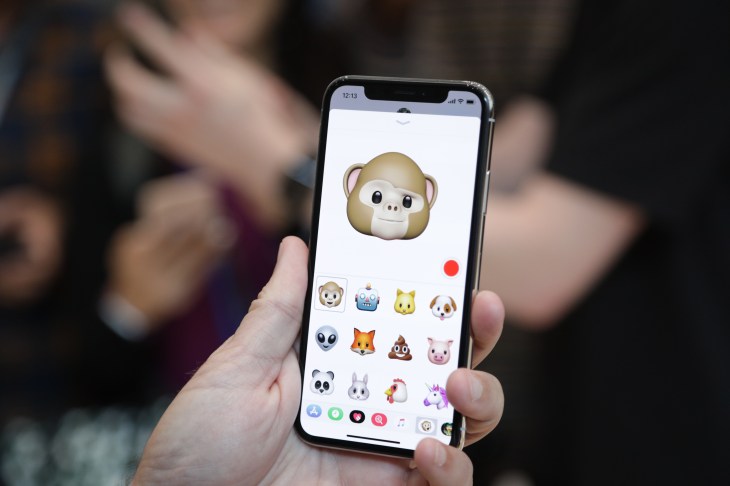
iPhone X


A new report from Bloomberg confirms previous rumors and lines up with Ming-Chi Kuo’s original report from November 2017. It sounds likely that Apple is going to introduce three new phones in September — an updated iPhone X, a bigger phone and a successor to the iPhone 8 with the iPhone X design.
The updated iPhone X could be considered as an “S upgrade” with a better system-on-a-chip and better cameras. The phone itself could look exactly the same as the iPhone X you can buy today. But you can expect faster performance thanks to an updated A12 chip designed by Apple  and manufactured by TSMC.
The bigger device could feature a gigantic 6.5-inch display. It should have exactly the same features as the updated iPhone X — stainless steel edges, two cameras on the back, an OLED display, etc. This model could have two SIM slots in some countries to make it easier to roam in other regions and countries.
More interestingly, Apple wants to replace the iPhone 8 with a device inspired by the iPhone X. It could cost around as much as the iPhone 8 today, but it should be a big upgrade for those who are focused on the entry-level model.
Of course, there will be some compromises. For instance, Apple will replace the stainless steel edges with aluminum edges. There should be a single camera on the back. And the display won’t be as sharp as it should be a 6.1-inch LCD display.
A previous rumor indicated that this new model could come in a wide range of colors including grey, white, blue, red and orange. Bloomberg confirms that the disappearance of the home button means that this phone will get Face ID.
On the software side, it sounds like the bigger 6.5-inch iPhone could let you run two apps side-by-side, pretty much like opening two apps on the iPad. If Apple follows its usual pattern, the company should unveil these new devices in just a couple of weeks.
Share:

The Best Aftermarket Android Auto and Carplay Head Units for Your Car


The Best Aftermarket Android Auto and Carplay Head Units for Your Car


If you love the idea of having Android Auto or Carplay in your ride, you don’t have to wait until it’s time to get a new vehicle to make it happen—there are a slew of excellent aftermarket solutions available.
For those who may not be familiar, Android Auto and Carplay are Google and Apple’s respective car-based interfaces that offer simplified, more driver friendly experiences when behind the wheel. These aren’t standalone units, however—they’re both powered by your phone. Android Auto is for Android phones, and Carplay is for iPhones.
While Carplay requires a compatible head unit to use at all, you can actually try out Android Auto on your phone without the need for car compatibility—though the experience isn’t quite as good when using just your phone. Just install the Android Auto app and give it a whirl.
Before you jump into our best-of list, there’s one thing in particular you’ll need to pay attention to in regards to your car: whether it’s a double DIN or a single DIN system. (DIN is a unit of measurement used in car audio, it’s an acronym based on the German phrase “Duetch Industri Normen” and stems from their push to standardize radio sizes in 1980s era BMWs, Mercedes, etc.)
If it’s a more modern ride with a full screen display, then it’s likely a double DIN. If it’s a more traditional CD player without a large screen, then it’s probably a single DIN. A little research for your vehicle’s make and model should tell you everything you need to know.
Regardless of whether you’re an Android or iPhone user, however, AA and Carplay are both excellent systems to have in the car. Here’s a look at the best Auto and Carplay-compatible head units to get you started.

The Best Premium Double DIN System: Kenwood Excelon DDX905S ($900)

If you’re looking for the best of the best when it comes to dropping a new head unit in your car, the Kenwood DDX9905S is where it’s at. It features a 6.75-inch 1280×720 capacitive touch screen (that’s important to note because a lot of units still come with resistive touch panels) with 600 nits of brightness and 170 degree viewing angles. That’s pretty solid for a head unit that you’ll need to be able to see at a glance.
The DDX905S also supports Wireless Android Auto, so you won’t even need to plug your phone into it if you don’t want to. Otherwise, there are a slew of non-phone related features, like dash cam support, dual camera inputs (for backup camera and dash cams at the same time), two USB ports for dual phone connections, and a lot more.
To learn more about the DDX905S, you can read about it on Kenwood’s site. Otherwise, hit the link below to buy.

The Best Budget Double DIN System: Sony XAV-AX5000 ($400)

Let’s be honest here: $900 is a lot for a new head unit. Once you factor in professional installation, you’ll be looking at something in the ballpark of $1250, which is pretty steep. If you’re not into spending that much money, you can get a hell of a head unit for $400 in the Sony XAV-AX5000 (these product names just roll off the tongue, don’t they?).
For less than half the price of our premium pick, you get a very similar system—the AX5000 features a 6.95-inch 800×480 capacitive touch panel with 500 nits of brightness, so it’s not quite as short or bright, but should still be great for most uses. Otherwise it supports wired Android Auto and Carplay, as well as a second USB port for access to music from a thumb drive.
If you’re looking for the most affordable way to get into Android Auto or Carplay without much compromise, the AX5000 is the way to go. There’s also the slightly cheaper AX100, which is $350, though the compromises on that model seem to be quite vast for only a $50 savings.

The Best Premium Single DIN System: Alpine iLX-F309 HALO 9 ($895)

Just because your car doesn’t have a double DIN does’t mean it can’t get in on the premium head unit scene, and the Alpine iLX-F309 HALO 9 proves that. Featuring a massive 9-inch WVGA (800×480) capacitive touch panel, this is a killer tablet-sized head unit. Seriously, it’s like having an iPad on your dash.
The HALO 9 features what’s called iDatalink Maestro, which will let users retain vehicle information and features that are built into the stock head unit. There’s also a rear seat entertainment system that can be purchased separately, which is pretty great for parents who need to keep the little ones entertained on road trips.
You can find out more about the Alpine HALO 9 here, or click below to buy.

The Best Budget Single DIN System: Pioneer AVH-3300NEX ($450)

For about half the price of our premium single DIN choice, the smaller Pioneer AVH-3300NEX should still be a good fit for most people. It offers a 7-inch 800×480 panel, though it’s worth mentioning that this is the only option on our list that has a resistive touchscreen instead of capacitive. That could be a dealbreaker for some. If you’re not familiar with the terms, you’re likely familiar with the experience: resistive touch screens are the screens found on old GPS units and ATMs where you have to physically push the screen firmly to get a response; capacitive screens are the conductive screens found on modern smartphones and are much more sensitive and responsive.
If the resistive touchscreen doesn’t bother you, this is an otherwise solid little head unit. Outside of Android Auto and Carplay compatibility, the AVH-3300NEX offers USB audio playback (for USB drives), DVD playback, backup camera support, and more. To read more about everything the 3300NEX has to offer, head here.
It’s worth pointing out that there’s a newer version of this head unit available (the 3400NEX), but at $100 more it’s not a better value than the older model.
Share:

BlackBerry Key2 LE: Everything we know so far


BlackBerry Key2 LE: Everything we know so far


blackberry key2 both in hand


Information and rumors for what could be the BlackBerry Key2 LE are already surfacing. Here’s everything we know about it so far.

TEASER TRAILER

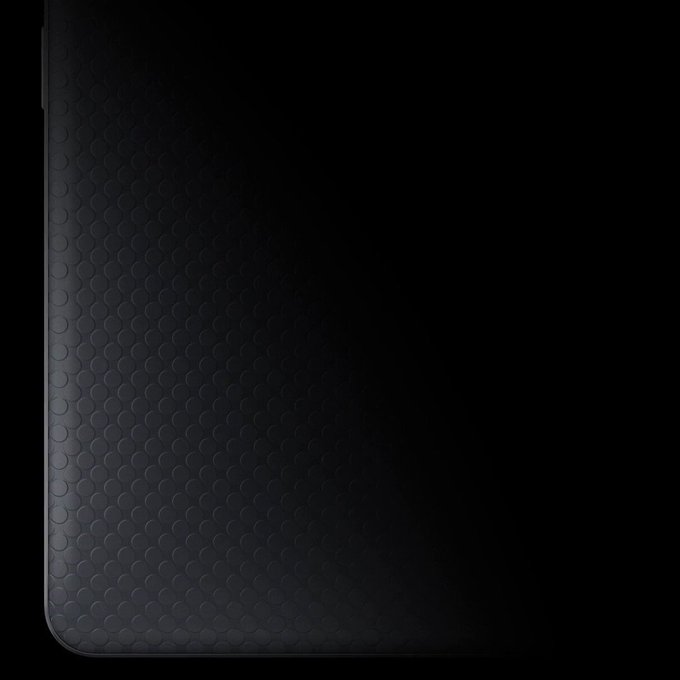
While the details of the Key2 LE remain somewhat speculative, we now know that the phone is coming and we won’t have too long to wait. Blackberry’s Twitter account posted a short teaser of the phone giving us a glimpse of what’s in store for the future of the company. The trailer itself doesn’t give any specifics regarding the phone itself and simply shows the camera panning over the back of the device. However, it does confirm that BlackBerry plans to officially unveil the phone at IFA Berlin 2018.
The Berlin Radio Show, as it’s sometimes called, is one of the oldest consumer electronics trade shows. This year’s event will be held between August 31 and September 5 so we should learn more about the Key2 LE within the coming weeks.

SPECS

blackberry key2 lite news ap resize php
Android Police
Specs for the upcoming BlackBerry Key2 LE suggest the phone will be a low-cost version of the regular Key2. According to a story on Android Police, the Key2 LE will pack a Snapdragon 636 chip with 4GB of RAM: The regular Key2 has a Snapdragon 660 chip along with 6GB of RAM. You’ll also find a 32GB and 64GB storage option.
Display on the Key2 LE will be the same, but the battery will be slightly smaller, coming in at 3,000mAh compared to the 3,500mAh on the Key2. And it looks like the camera will take a hit as well: The Key2 LE will have a 13-megapixel rear camera, with a 5-megpixel selfie camera.

NAME, RELEASE DATE, AND PRICE

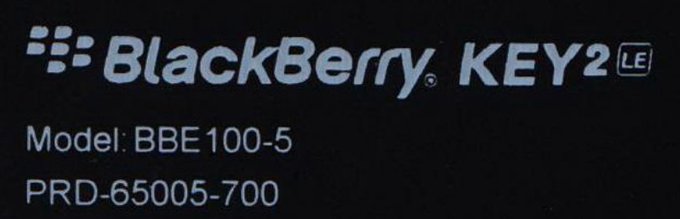
The device is apparently code-named BlackBerry Luna, and the less expensive materials used in its construction should make the phone cheaper to buy than the Key2, which starts at $650. While it was expected that the device would be launched as the BlackBerry Key2 Lite, a recent tweet by leaker Roland Quandt suggest otherwise. A BlackBerry smartphone with model number BBE-100-5 has passed certification by the Federal Communications Commission (FCC)  and is reportedly called the BlackBerry Key2 LE.
Before that, two other smartphones with the BlackBerry brand also passed FCC with model numbers BE 100-1 and BBE 100-2 — both of which are reportedly variants of the “Lite” BlackBerry. With another model number added to the mix, it’s believed this could be the third variant that will be available.
Sharing the Key2’s basic design means the phone will have a physical keyboard, potentially introducing the feature to a wider audience. Outside of the expensive KeyOne and Key2, the only other Android-based BlackBerry phone you could buy was the all-touchscreen BlackBerry Motion.
Blass also tweeted the phone could launch at the end of August or in September, potentially at the IFA technology show in Berlin, which begins on August 31 and runs until September 5.

DESIGN

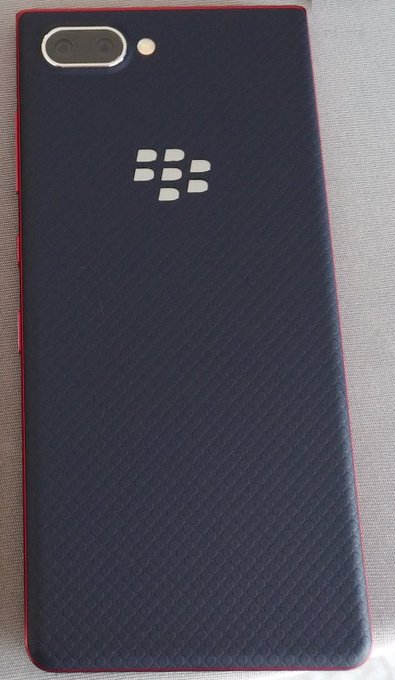
We don’t know anything about the specifications yet, or if BlackBerry will remove some of the Key’s special keyboard functionality to lower the price further. It’s always possible the Key2 LE will use the KeyOne’s keyboard, just with the Key2’s improved design. Evidence of its possible existence comes from a leaked picture allegedly showing what’s being called the BlackBerry Key2 Lite, which highlightd the back of a phone with BlackBerry’s familiar logo, and a Key2-like shape.
Evan Blass/Twitter.com
The device differs from the Key2 slightly. The chassis on the pictured device is red, and will apparently be made of plastic rather than metal. It will come in a blue or copper color as well, according to mobile leaker Evan Blass, who posted the picture on Twitter. The dual-lens camera BlackBerry introduced on the Key2 is present, although the specifications may not be the same. While the Key2’s rear panel is also textured, the effect is different on the Key2 Lite.

Share: